Coming soon · Join the waitlist for early access
The contractor app for signed estimates, change orders & paymentsGet paid.
Prove everything.
Jobcrumb builds your paper trail while you work: verified e-signatures, deposits paid before you start, timestamped job photos and invoices that send themselves. If a client ever won't pay, one click prints the Dispute Pack.
- 14 days free, no card
- Clients don't need an app
- $60/mo, unlimited users
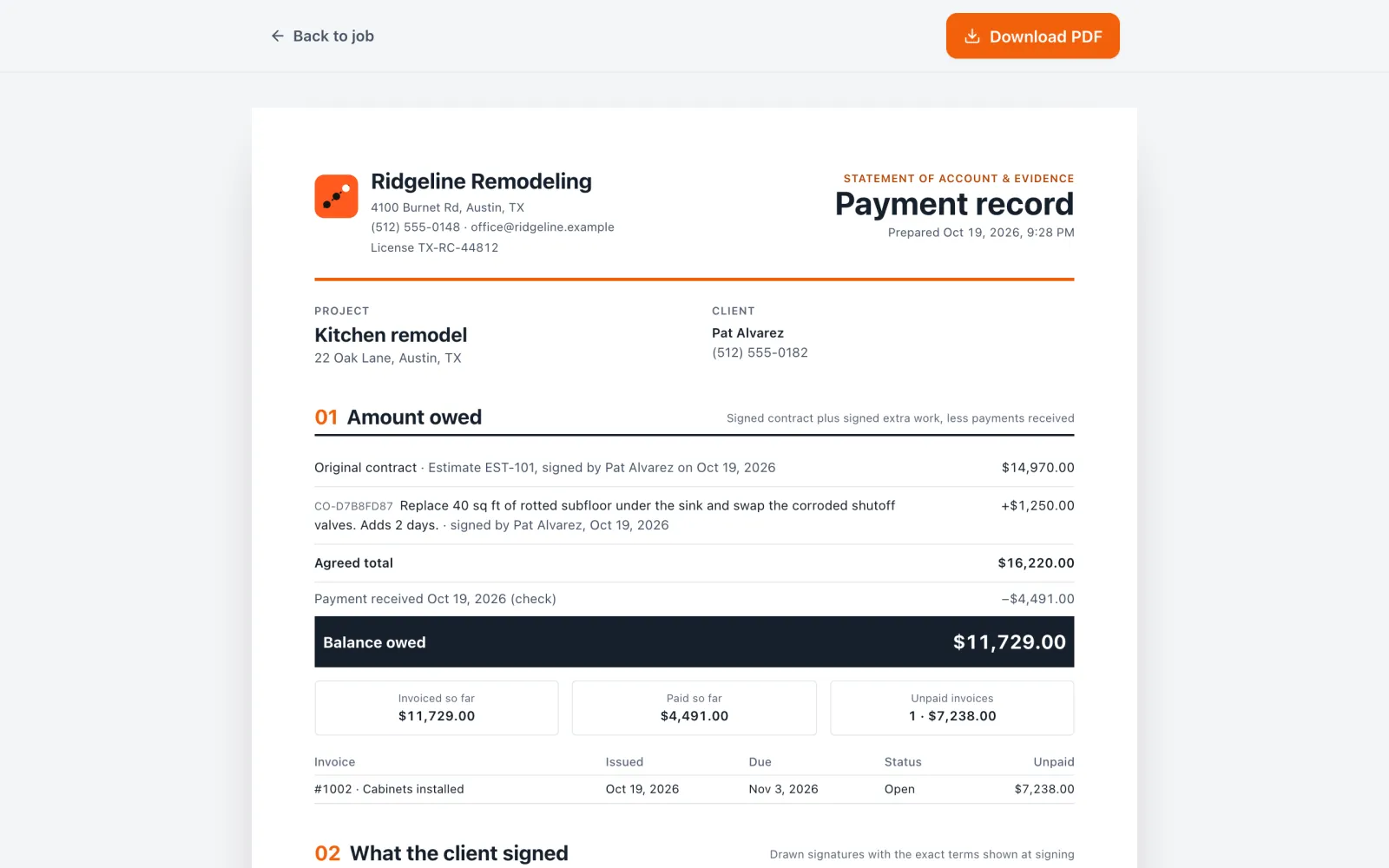
Ridgeline Remodeling
License TX-RC-44812
Statement & evidence
Dispute pack
01 · Amount owed
- Estimate EST-101, signedPat Alvarez · code verified$14,970.00
- Change order: rotted subfloorSigned before the work+$1,250.00
- Deposit receivedCard · Oct 19−$4,491.00
- steps from estimate to paid, on rails
- 6steps from estimate to paid, on rails
- to a full payment Dispute Pack
- 1 clickto a full payment Dispute Pack
- extra per user. Bring the whole crew
- $0extra per user. Bring the whole crew
- apps your client has to download
- 0apps your client has to download
Sound familiar?
Three sentences that cost you money
“I never agreed to that.”
Every extra is signed by your client before you start, with a code check, the exact terms and the time on record.
“That damage was already there.”
Before photos are stamped with time, GPS and who took them, plus a fingerprint that proves they weren't edited.
“The check's in the mail.”
The estimate isn't accepted until the deposit is paid. Invoices send themselves, and reminders follow up for you.
Only in Jobcrumb
The Dispute Pack.
Your receipts, in one click.
Most payment disputes are decided by who has the paper trail. Jobcrumb builds yours as you work, then prints it as one organized document when a client stops paying.
- 01Amount owedContract plus signed extras, less payments. The balance, line by line.
- 02What the client signedEvery signature with the exact wording, the time and the code check.
- 03TimelineEvery invoice, reminder, page view and payment, oldest first.
- 04Work performedTimestamped, GPS-tagged photos and daily logs.
- +Demand letter, draftedFilled in from the record. Review, edit, send.
Estimate to paid
Every job, on rails
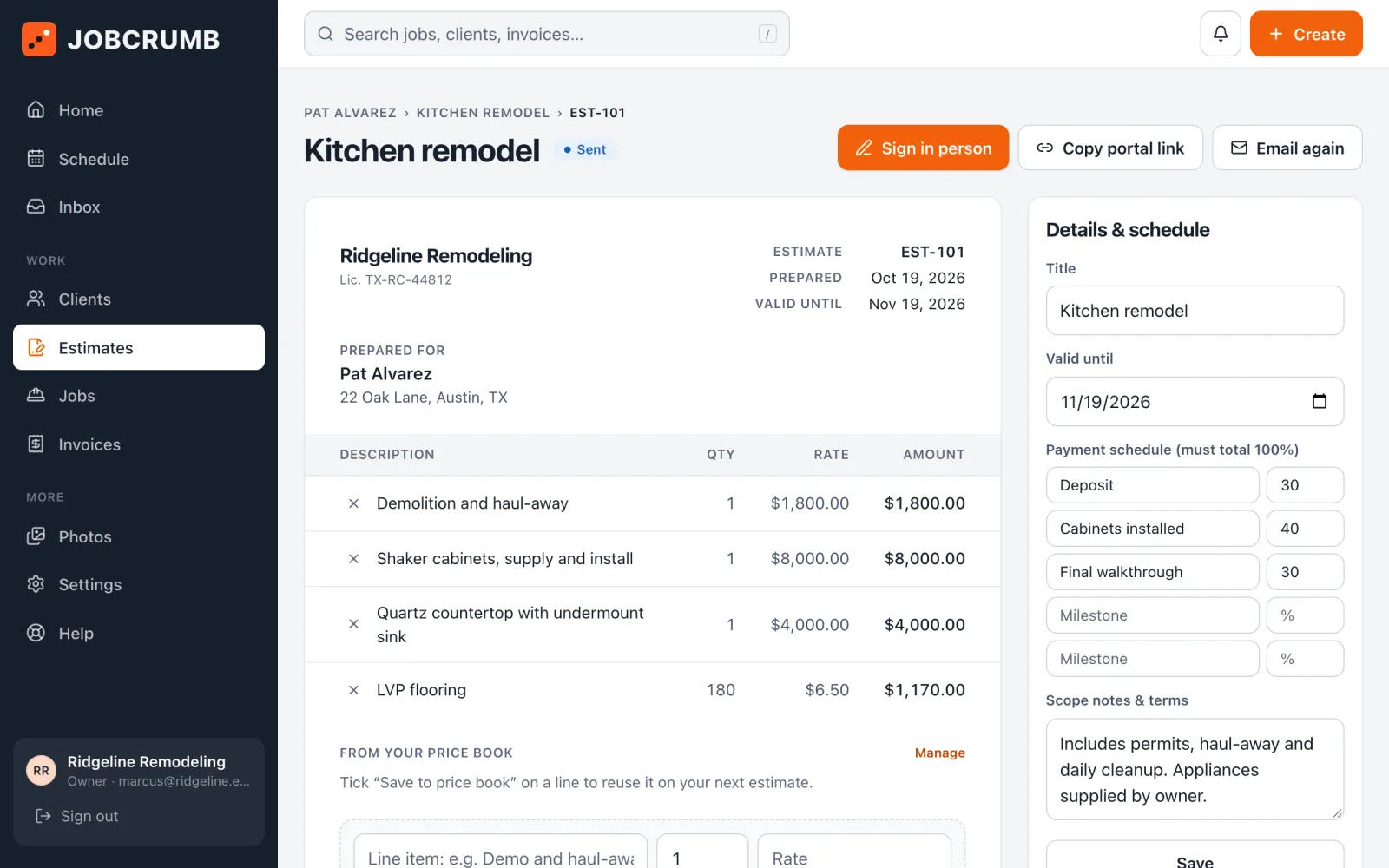
Six steps, the same every time. Tap the next one and Jobcrumb does the paperwork: signatures, invoices, reminders and the record.
- 01
Estimate
Client verifies with a code, signs, and pays the deposit to accept.
- 02
Prep
Deposit's in. Contract and payment schedule are set for you.
- 03
Work started
The progress invoice is ready to send. Preview it, tap send.
- 04
Punch list
Past-due invoice? A payment check before you go further.
- 05
Finished
Client signs off. Final invoice goes out with every signed extra.
- 06
Paid
Last payment lands, the job closes, and they're asked for a review.
How it works
Watch a job go
from estimate to paid
Real Jobcrumb screens. Tap any step to see what you see next to what your client sees.
Your screen
Your client's phone
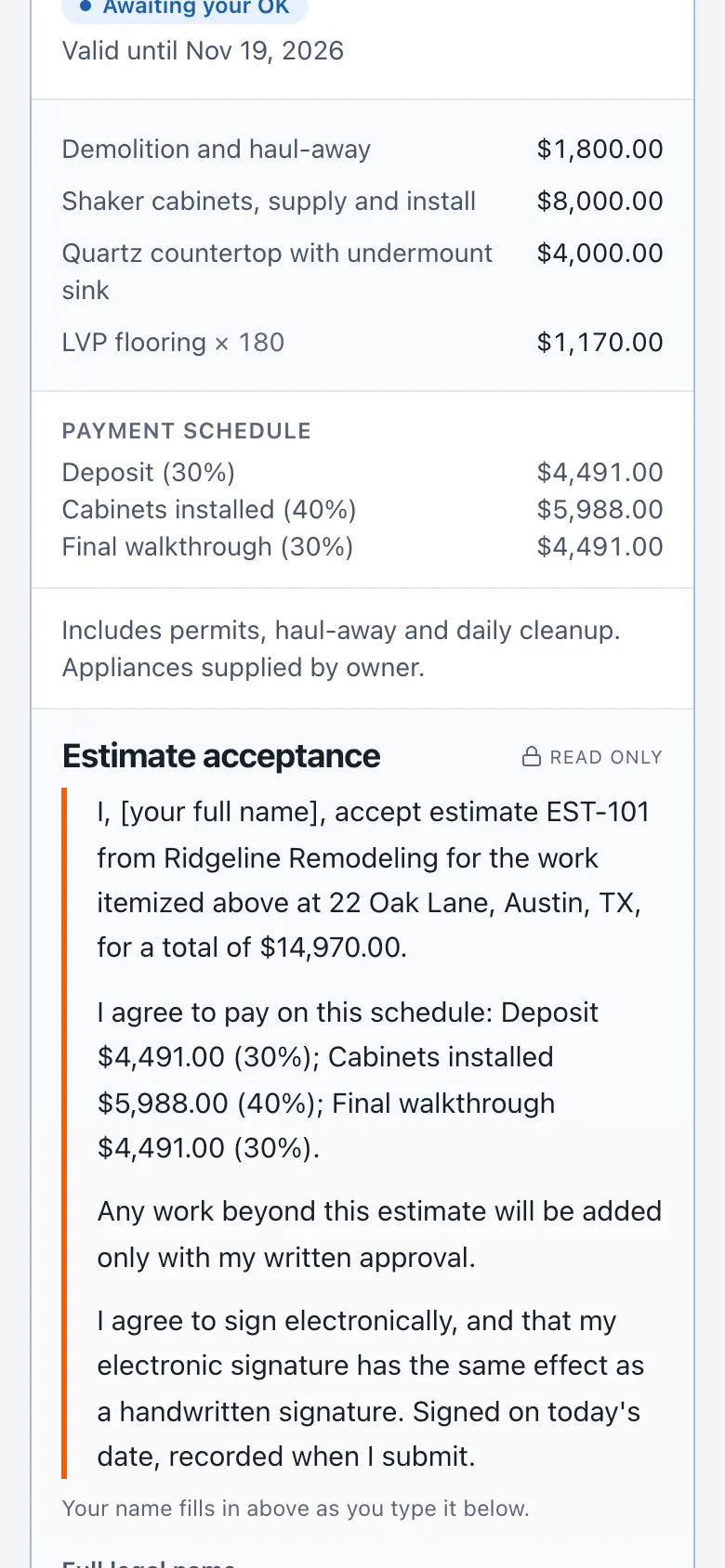
Real Jobcrumb screens, shown with a sample company.
Built to protect your money
Every way a job goes sideways, covered
No add-ons and no second app. It's all in the one plan.
Try it yourself
Be the client
for ten seconds
This is what your client sees when you add extra work. They type their name, sign with a finger, and it's on the record with the time and a tamper-evident fingerprint.
- Works on any phone, no login
- The wording is locked: what they read is what gets saved
- You get an alert the moment they sign
Extra work · needs your OK
Replace 40 sq ft of rotted subfloor found under the kitchen sink
+$1,250.00
Made for the trades
Built for how your trade gets burned
Same paper trail, tuned to the surprises your jobs turn up.
How we compare
One app instead of three
Photo apps don't get you paid. Invoicing apps don't protect you in a dispute. Jobcrumb does both, at a price a small crew can afford.
| Jobcrumb | CompanyCam | Jobber | Buildertrend | |
|---|---|---|---|---|
| Photos & video stamped with time, GPS and who took them | Limited | Limited | ||
| Tamper-evident file fingerprintsProves a photo wasn't edited later | ||||
| Photo markup | Limited | |||
| Client signs extra work before you do it | Limited | |||
| Estimates the client signs online | ||||
| Card & bank payments, paid to your bank | ||||
| Client messaging included | Limited | Add-on | ||
| Daily logs | ||||
| Dispute-ready job record PDF | Limited | Limited | ||
| Price | $60/mo, unlimited users | Varies by plan | Varies by plan | Varies by plan |
Based on each product's core offering as described in public product pages and user reviews, October 2026. Features and pricing change, so check with each vendor. “Limited” means partly supported or only on some plans.
Pricing
One plan. Your whole crew.
Everything included, for every person on your team. 14 days free, no card required.
Jobcrumb
From one-person shops to full crews
$60/month
Unlimited users · no per-seat fees
or $600/year, two months free · 500 texts a month included
- Unlimited crew, admins and viewers
- Estimates with verified e-signatures and deposits
- Signed change orders
- Invoices with card and bank payments
- Unlimited jobs, photos and video
- One-click Dispute Pack and job record PDFs
- Activity log, reviews, schedule and time clock
- 0.5% payment fee, capped at $50
Plus Stripe's standard processing fees on card payments. Recording checks and cash is free.
Questions
Straight answers
What is the best app for contractors to get paid?
+
One that gets money in before you're exposed: deposits paid before the estimate is accepted, invoices that send at each job step, card and bank payments straight to your bank, and reminders that follow up for you. Jobcrumb does all of that for $60/month with unlimited users.
What is a Dispute Pack?
+
A one-click PDF of everything on a job: what's owed, every signed estimate and change order with identity checks, a timeline of invoices, views and payments, timestamped photos, and a drafted demand letter. It's what you hand an attorney, a court, or the client when a bill is disputed.
Does my client need to download an app?
+
No. They get a link by text or email and do everything in their phone's browser: verify with a code, review, sign, pay and message you.
Is a finger-drawn signature legally binding?
+
In the US, electronic signatures are generally valid under the federal ESIGN Act and state laws. Jobcrumb records the signature, the exact terms, the time, the device and a code check, then fingerprints the document. Ask your attorney about the rules for your state and trade.
How do contractors protect themselves from clients who won't pay?
+
Get the contract and every change in writing and signed, collect a deposit before you start, document the work with dated photos, invoice promptly, and keep a record of every notice. Jobcrumb does each of these as part of running the job, and prints them as a Dispute Pack.
Where does the money go, and what does it cost?
+
Straight to your own Stripe account, under your business name, then to your bank. Jobcrumb never holds your money. You pay Stripe's standard processing fee plus a 0.5% Jobcrumb fee capped at $50 per payment. Checks and cash are free to record.
Can my crew use it without seeing pricing?
+
Yes. Crew add jobs, photos, logs and change orders but never see invoices, payments or totals. Viewer access works well for a bookkeeper.
Your next job
deserves receipts.
Jobcrumb opens to contractors soon. Join the waitlist for early access, and we'll email you the day it's ready.